28
Useful Tools & Utilities to Make Life Easier – Boost Productivity & Simplify Daily Tasks
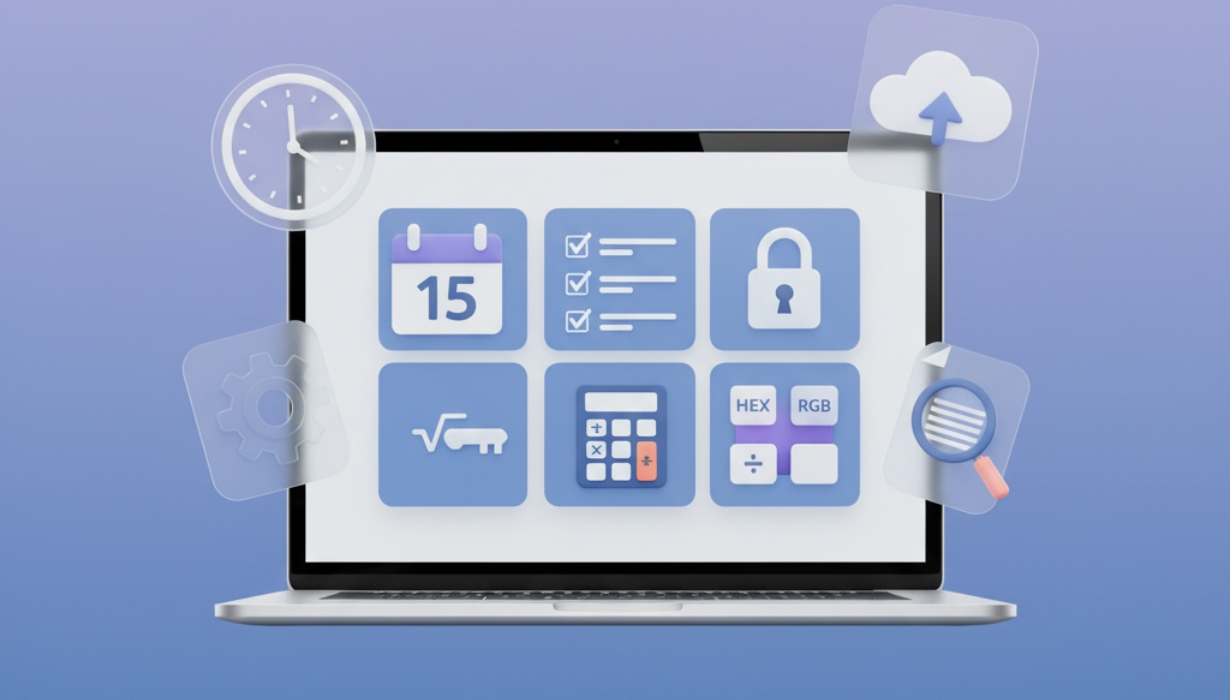
Discover a curated collection of useful tools and utilities designed to simplify work, enhance productivity, and streamline everyday tasks. From digital converters and online calculators to note-taking apps and file utilities, these solutions save time, reduce stress, and improve efficiency—whether you’re a student, professional, or casual user.
Introduction
In today’s fast-paced digital world, the right tools and utilities can make all the difference between struggling with repetitive tasks and smoothly completing them in seconds. From students managing homework and assignments, to professionals optimizing workflows, to everyday users looking for convenience, tools designed to simplify life are invaluable. The internet offers a wide variety of free and paid utilities that address nearly every need—calculating, converting, organizing, or automating processes.
This article explores useful tools and utilities that make life easier, explaining their benefits, use cases, and why they’re essential in both personal and professional contexts.
Why Tools and Utilities Matter
At first glance, tools might seem like simple add-ons—but in reality, they can dramatically impact productivity. Imagine calculating currency conversion manually, resizing multiple images by hand, or searching through files without a search utility. These tasks would take hours, but with the right tools, they take only seconds.
Some key reasons why tools and utilities matter:
- Time Efficiency – They reduce hours of manual work into minutes.
- Accuracy – Automated tools minimize human error.
- Convenience – Everything is accessible online, anytime.
- Versatility – From design to coding to education, tools adapt to different needs.
- Accessibility – Many of them are free and require no downloads.
Categories of Useful Tools
1. Conversion Tools
Conversion utilities are among the most popular because they transform one format into another instantly. Examples include:
- File Converters – Convert PDFs to Word, images to text (OCR), or videos to audio.
- Color Converters – Convert between RGB, HEX, and HSL for design projects.
- Unit Converters – Quickly switch between metric and imperial systems for height, weight, volume, or temperature.
- Currency Converters – Get real-time exchange rates for travel, business, or shopping online.
These converters save time, ensure compatibility, and support both personal and professional workflows.
2. Productivity & Organization Tools
Staying organized is key in both work and personal life. Tools that enhance productivity include:
- To-Do List Apps – Digital planners to keep track of tasks and deadlines.
- Note-Taking Utilities – Capture ideas instantly and sync across devices.
- Calendar & Scheduling Tools – Manage meetings, events, and reminders.
- Mind-Mapping Tools – Visualize ideas, projects, and workflows.
These utilities not only help in tracking activities but also boost focus and reduce mental load.
3. Communication & Collaboration Tools
Whether you’re working remotely, collaborating with a team, or studying with peers, communication tools are vital:
- Video Conferencing Platforms – Connect face-to-face without physical presence.
- Cloud Storage Utilities – Share and store files securely.
- Collaboration Platforms – Work on documents, sheets, and presentations in real time.
- Language Translation Tools – Break language barriers instantly.
Collaboration utilities empower teams to work more efficiently and globally without boundaries.
4. Online Calculators
Specialized calculators save time by solving problems instantly:
- Financial Calculators – Interest, mortgage, and loan estimators.
- Math & Science Calculators – For students, engineers, and researchers.
- Health Calculators – BMI, calorie counters, and fitness trackers.
- Business Calculators – ROI, profit margin, and tax estimators.
Instead of manually crunching numbers, these calculators provide accurate results in real-time.
5. Security & Privacy Tools
In a digital era, protecting personal data is more important than ever. Useful security utilities include:
- Password Generators & Managers – Create and store strong, unique passwords.
- VPN Tools – Secure browsing and protect identity.
- IP Checkers & Trackers – See your public IP address and location.
- Encryption Utilities – Secure files and messages.
These tools ensure peace of mind when browsing or working online.
6. Creative Tools for Design & Content
Creativity is essential in branding, marketing, and personal projects. Helpful design utilities include:
- Image Editors – Resize, crop, or enhance pictures online.
- Logo & Graphic Makers – DIY branding solutions.
- Color Palette Generators – Find matching schemes for websites or designs.
- Content Generators – Simplify writing with AI-powered suggestions.
Such tools empower anyone to create professional-level designs without needing advanced software.
7. Everyday Practical Utilities
Beyond professional use, many utilities make daily life easier:
- Weather Forecast Tools – Get real-time weather updates.
- Travel Planning Apps – Book flights, hotels, and routes efficiently.
- Shopping Comparison Tools – Find the best deals online.
- Time Zone Converters – Coordinate global meetings and calls.
These everyday tools provide convenience that reduces stress and saves money.
Benefits of Using Online Tools & Utilities
- Accessibility Anywhere – No installations needed, just a browser.
- Cross-Platform Support – Work on desktops, tablets, and smartphones.
- Cost-Effective – Many powerful tools are available for free.
- Beginner-Friendly – Designed for people with no technical background.
- Consistency – Ensures uniform results across different tasks.
Best Practices When Using Tools
- Verify Accuracy – Double-check critical outputs like financial or health results.
- Protect Privacy – Avoid uploading sensitive data to untrusted platforms.
- Stay Updated – Use tools that receive regular improvements.
- Combine Utilities – Use multiple tools together for maximum efficiency.
- Test Usability – Choose tools with intuitive interfaces for smoother workflows.
Applications in Real Life
- Students use calculators, converters, and note apps for academic work.
- Designers rely on color tools, image editors, and typography utilities.
- Developers benefit from coding utilities, debugging tools, and API testers.
- Businesses streamline operations with project management and financial calculators.
- Everyday Users save time with shopping comparison, travel apps, and language translators.
Why Our Collection of Tools Stands Out
There are countless utilities online, but what makes our curated set unique is:
- Simplicity – Clean, easy-to-use interface.
- Speed – Results in real-time.
- Accuracy – Reliable and tested outputs.
- Free Access – No hidden costs or sign-ups.
- Cross-Device Compatibility – Works on all devices seamlessly.
We focus on practicality, efficiency, and user experience, ensuring that anyone—whether tech-savvy or not—can benefit from them.
Conclusion
Life is full of tasks that seem small individually but add up to consume hours. Useful tools and utilities are the secret to saving time, staying organized, and improving productivity. Whether you’re converting files, managing projects, calculating finances, or simply looking for everyday conveniences, the right utilities transform challenges into effortless processes.
By integrating these tools into your workflow, you not only simplify tasks but also improve accuracy, reduce stress, and free up valuable time. Explore our curated collection today and experience the difference.
Contact
Missing something?
Feel free to request missing tools or give some feedback using our contact form.
Contact Us