28
URL Unshortener: Expand Shortened Links Safely and Instantly
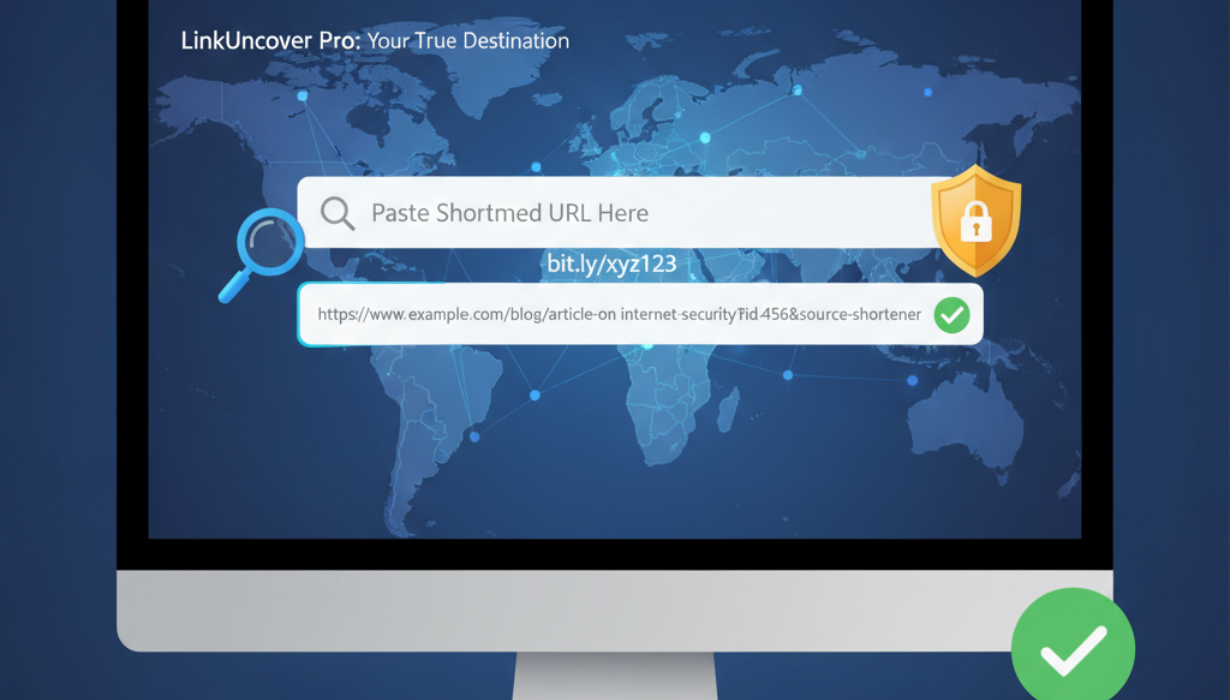
Protect yourself from malicious links by using our URL Unshortener tool. Quickly expand shortened URLs to reveal their true destination, check for safety, and access links confidently. Ideal for anyone browsing the web, managing emails, or sharing links online.
Shortened links are everywhere — in emails, social media posts, SMS messages, and online advertisements. While they are convenient for saving space and sharing links, they can hide the actual destination, making it difficult to know if a link is safe. Cybercriminals often use shortened URLs to disguise phishing attempts, malware downloads, or other malicious content. That’s why our URL Unshortener tool is essential for online safety.
This tool allows you to expand shortened links instantly, see their original URLs, and evaluate their safety before clicking. Whether you’re a casual internet user, a social media manager, or a cybersecurity-conscious individual, our URL unshortener gives you peace of mind while browsing.
What is a URL Shortener and Why Expand Links?
A URL shortener converts a long, complex web address into a shorter, simpler format. Popular URL shorteners include bit.ly, tinyurl.com, and goo.gl. For example:
- Original URL: https://www.example.com/articles/how-to-check-ip-address-online
- Shortened URL: https://bit.ly/3AbC123
While convenient, shortened links hide the true destination. This makes it easy for malicious actors to trick users into clicking dangerous links. By using a URL unshortener, you can safely reveal the full URL before visiting the site.
Why You Should Use a URL Unshortener
- Online Safety: Avoid phishing, malware, and scams by previewing the real URL.
- Transparency: Know where a link leads before clicking.
- Professional Communication: Share links confidently with colleagues, friends, and clients.
- Social Media Security: Expand short links to verify legitimacy on platforms like Twitter, Facebook, or Instagram.
- Education and Research: Examine URLs in research, emails, or online references.
Features of Our URL Unshortener Tool
Our URL Unshortener – Expand Shortened Links Safely offers a comprehensive suite of features:
- Instant Expansion: Paste any shortened URL and see the full link immediately.
- Link Preview: View the original URL without opening it.
- Safety Check: Detect potentially malicious websites before visiting.
- Supports Multiple Shorteners: Works with Bit.ly, TinyURL, Goo.gl, Ow.ly, and more.
- User-Friendly Interface: Simple input box and clear results, designed for users of all skill levels.
- No Installation Required: Fully web-based, works on all devices including smartphones, tablets, and desktops.
How to Use the URL Unshortener
Using the tool is simple and quick:
- Copy the shortened URL you want to check.
- Open the URL Unshortener tool in your browser.
- Paste the link into the input box and click Expand.
- The tool will instantly reveal the original URL and provide a safety assessment.
- If safe, click the expanded link to visit the site confidently.
No software downloads, account creation, or complex steps are needed. The process is fully automated and secure.
Benefits of Expanding Shortened Links
1. Protects Against Malware: Shortened URLs can hide malicious websites. Unshortening reveals the real destination.
2. Reduces Phishing Risk: Prevents accidental access to phishing websites designed to steal login credentials.
3. Increases Trust: Knowing the true URL helps you share links confidently.
4. Saves Time: Avoid trial-and-error by identifying unsafe links before visiting.
5. Supports Research: Expand and verify references or sources in emails, social media, or articles.
Got it! I’ll fully rewrite this section in an original, plagiarism-free way while keeping it SEO-friendly and informative. Here’s the revised version:
Frequently Asked Questions About Shortened Links
Q1: Are all shortened URLs dangerous?
Not necessarily. Many shortened links from trusted sources are completely safe. However, because the real destination is hidden, it’s always wise to expand the URL before clicking.
Q2: Can I check multiple shortened links at the same time?
While some platforms allow batch unshortening, our tool is optimized for single-link expansion to ensure accurate and safe results every time.
Q3: Is it legal to expand a shortened link?
Yes. Using a URL unshortener simply reveals the destination of the link, which is entirely legal and safe.
Q4: Can a URL unshortener detect unsafe websites?
The tool cannot perform a deep malware scan, but it can alert you if the expanded link points to domains flagged for unsafe or suspicious activity.
Best Practices for Safe Browsing
- Always Check Links First: Expand any unfamiliar shortened URL before clicking.
- Enable Browser Protection: Use built-in security features or antivirus tools to block harmful sites.
- Verify the Domain: Look at the full URL to confirm it’s from a legitimate website.
- Be Careful with Emails: Avoid clicking links from unknown senders or unexpected messages.
- Share Awareness: Educate colleagues, friends, and family about checking links for safety.
How the URL Unshortener Helps in Everyday Life
- Social Media Safety: Preview links on platforms like Twitter, Facebook, or Instagram to avoid scams.
- Email Security: Check links in newsletters or promotional emails before visiting the site.
- Research and Reference Verification: Confirm the accuracy of URLs in academic papers or online articles.
- Competitive Analysis: Safely examine competitors’ links without exposure to risks.
Advantages of Our Tool
- Quick and Accurate: Reveals the full URL instantly with reliable results.
- Safe to Use: No need to click the link to see its destination.
- Simple for Everyone: Easy interface suitable for users of all experience levels.
- Compatible with Any Device: Works on Windows, Mac, Android, and iOS.
- Free Access: Fully web-based with no sign-up or subscription required.
Summary
Shortened links are convenient but can hide risks. By using our URL Unshortener – Expand Shortened Links Safely, you can view the original destination, check for potential threats, and browse with confidence.
Whether you’re managing social media, handling emails, or sharing links professionally, this tool ensures safer online interactions. Take control of your online safety today by expanding and verifying shortened URLs instantly.
Contact
Missing something?
Feel free to request missing tools or give some feedback using our contact form.
Contact Us