28
RGB to Hex Converter – Convert Colors Instantly for Web and Design
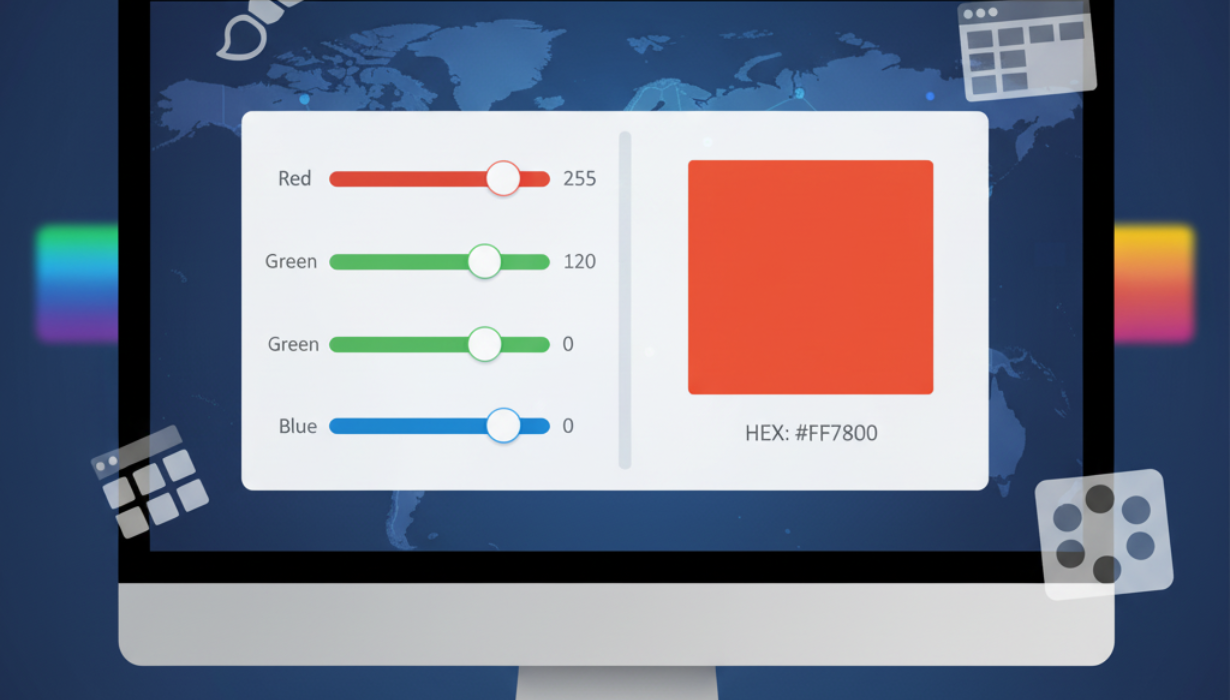
Quickly convert RGB color values to HEX codes with our intuitive online RGB to Hex Converter. Perfect for web designers, developers, and digital artists, this tool ensures accurate color representation across all platforms.
Colors form the backbone of any digital design project, whether it’s a website, a mobile app, or marketing materials. Two common methods for representing colors digitally are RGB and HEX.
RGB stands for Red, Green, Blue, a model that combines varying intensities of these three colors to create millions of unique shades. Each component typically ranges from 0 to 255:
- RGB(255, 0, 0) = Vibrant Red
- RGB(0, 255, 0) = Bright Green
- RGB(0, 0, 255) = Pure Blue
HEX, short for hexadecimal, is a six-character code commonly used in web development. It represents the same RGB color values but in base-16 format, making it compatible with HTML, CSS, and many digital platforms. Examples include:
- HEX #FF0000 = Red
- HEX #00FF00 = Green
- HEX #0000FF = Blue
Manually converting RGB to HEX can be tedious and error-prone, especially for complex colors. Our RGB to Hex Converter removes this hassle by performing accurate conversions instantly.
Why You Need an RGB to Hex Converter
- Web Development Compatibility: HEX codes are standard in HTML and CSS, ensuring precise color representation.
- Consistent Design: Match your graphics or website colors exactly across devices.
- Time Efficiency: Convert RGB values in seconds without manual calculations.
- Brand Consistency: Replicate exact brand colors across digital materials.
- Beginner-Friendly: The tool is easy to use, even for those with no coding experience.
Key Features of Our RGB to Hex Converter
- Instant Conversion: Get HEX codes immediately after entering RGB values.
- Full RGB Support: Convert any red, green, and blue values from 0 to 255.
- Accurate Output: Generates reliable HEX codes suitable for professional projects.
- Copy & Paste Convenience: Quickly copy HEX codes for use in coding or design software.
- Web-Based: Accessible from any device without downloads or subscriptions.
- Preview Feature: Visualize the color as you convert to confirm accuracy.
How to Use the Tool
- Enter the RGB values in the provided fields.
- Press the Convert button.
- The HEX code will appear instantly.
- Optionally, check the color preview to see how it will look on your design.
This process ensures precise and immediate conversion, saving time and reducing errors.
Benefits of RGB to HEX Conversion
- Design Accuracy: HEX codes guarantee the exact color you want in your web projects.
- Error Reduction: Avoid mistakes from manual calculations.
- Professional Quality: Maintain uniformity in color schemes across websites, apps, and graphics.
- Educational Value: Helps beginners understand the relationship between RGB and HEX codes.
- Flexible Usage: Perfect for UI/UX design, web development, digital art, and branding.
FAQs About RGB and HEX
Q1: Can HEX codes be converted back to RGB?
Yes! You can use many online tools to reverse the conversion for flexibility in design projects.
Q2: Why are HEX codes preferred for web design?
HEX codes are compact, widely supported, and ensure colors are consistently displayed across different browsers and devices.
Q3: Is the RGB to Hex Converter free?
Absolutely. Our tool is entirely free, web-based, and requires no registration.
Q4: What is the maximum RGB value that can be converted?
The tool supports the standard 0–255 range for red, green, and blue components.
Tips for Working with Colors Digitally
- Maintain Accessibility: Ensure your colors have enough contrast for readability.
- Use Color Palettes: Stick to predefined palettes for consistent design.
- Preview Regularly: Always check the visual outcome of your HEX colors.
- Cross-Platform Consistency: Test colors on web, mobile, and print to avoid discrepancies.
- Experiment Safely: Use the converter to try different color combinations easily.
Applications of RGB to HEX Conversion
- Web Design: Define accurate colors in CSS for websites and apps.
- Graphic Design: Maintain consistent color across logos, images, and branding materials.
- UI/UX Projects: Ensure interface elements have uniform color schemes.
- Marketing Materials: Replicate brand colors precisely for campaigns, social media, and advertisements.
- Education: Learn the relationship between digital color models while experimenting with design.
Why Our RGB to Hex Converter is the Best Choice
- Fast and Accurate: Converts any RGB value instantly with perfect precision.
- Intuitive and Simple: Works seamlessly for both beginners and professionals.
- Cross-Device Compatibility: Functions on Windows, Mac, Android, and iOS.
- Completely Free: No downloads, subscriptions, or sign-ups required.
- Instant Color Preview: Visual feedback ensures your HEX code matches your intended color.
Conclusion
Accurate color representation is essential for digital design, web development, and branding. The RGB to Hex Converter simplifies this process by providing instant, reliable conversions from RGB to HEX, ensuring consistency and precision across all digital platforms.
Whether you are designing a website, working on digital art, or creating marketing content, this tool saves time and reduces errors, making it indispensable for designers and developers alike.
Start converting your RGB values to HEX codes today and ensure your colors are always accurate and professional.
Contact
Missing something?
Feel free to request missing tools or give some feedback using our contact form.
Contact Us