09
NoRepeats – Free Online Duplicate Lines Remover | Clean and Organize Your Text Instantly
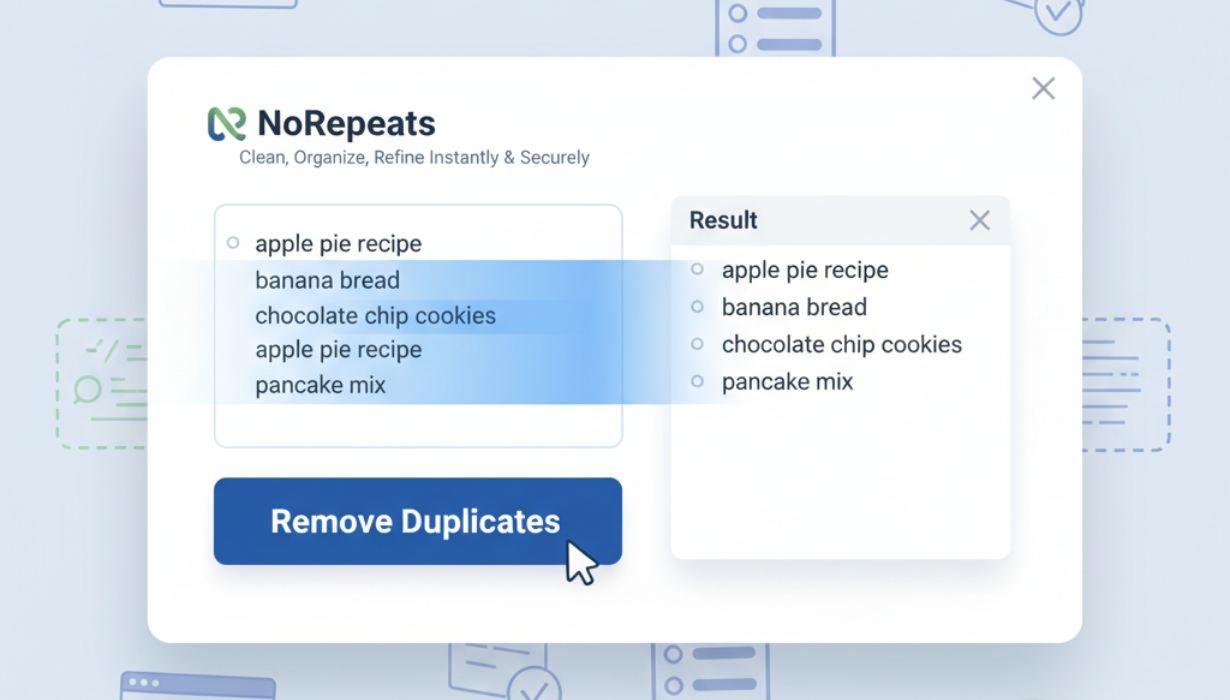
NoRepeats is a free online tool that removes duplicate lines from your text instantly. Simplify your workflow, clean up lists, and organize content with ease. Perfect for writers, coders, data analysts, and anyone working with large text files.
🧩 Introduction
When working with large blocks of text — whether it's code snippets, data lists, or written content — duplicates can quickly become a problem. Repeated lines not only make files harder to read but also reduce efficiency and accuracy. Cleaning such data manually is time-consuming and prone to error.
That’s where NoRepeats, a free online Duplicate Lines Remover tool, steps in. It allows you to quickly and safely remove all duplicate lines from any text while keeping your unique entries intact. Designed for simplicity and speed, NoRepeats is a must-have utility for writers, programmers, marketers, and anyone who values clean, organized data.
⚙️ What Is NoRepeats?
NoRepeats is an online text cleaning tool that automatically detects and removes duplicate lines from your input. Whether you’re dealing with a CSV export, a long list of URLs, or paragraphs of text, this tool ensures that only unique lines remain.
Unlike manual editing or complicated scripts, NoRepeats requires no coding knowledge or installation. It works directly in your browser, instantly delivering a clean and refined version of your text — ready for use anywhere.
💡 Why Removing Duplicate Lines Matters
Duplicate lines can cause several issues, especially in technical, writing, and data-related fields:
- Data redundancy – Repeated entries can skew analysis results.
- Content clutter – Makes reading or editing long text more difficult.
- Wasted storage – Duplicate information increases file size unnecessarily.
- Coding errors – In scripts or config files, duplicates may break functionality.
- SEO issues – Repetitive content can harm search engine performance for writers or web developers.
By cleaning your text with NoRepeats, you ensure a structured, professional, and accurate final output.
🧠 Key Features of NoRepeats
Here’s what makes NoRepeats stand out from other text cleaners:
- Instant Processing – Paste your text, click once, and get a duplicate-free version in seconds.
- Free & Unlimited Use – Use it as often as you like with no restrictions or sign-ups.
- Browser-Based – Everything runs locally in your browser; no data is uploaded or stored.
- Customizable Options – Choose to keep the first or last occurrence of duplicate lines.
- Preserve Formatting – The original order of unique lines is retained.
- Cross-Platform Support – Works perfectly on desktops, tablets, and smartphones.
- Lightweight & Fast – Designed for speed and simplicity — no bloated software.
🧰 How to Use NoRepeats
Using NoRepeats is simple and intuitive:
- Paste Your Text: Copy and paste your text into the input box.
- Choose Your Settings: Select whether to keep the first or last instance of each unique line.
- Click “Remove Duplicates”: The tool instantly processes your text.
- Copy or Download the Result: Use the cleaned text for your projects.
That’s it! No coding, no waiting, no complicated setup — just clean, organized text in one click.
📚 Use Cases of NoRepeats
NoRepeats serves a wide variety of users and purposes. Here are some of the most common scenarios:
- Writers & Editors
When editing long drafts or merging multiple documents, duplicate lines or repeated phrases can slip through. NoRepeats helps you identify and remove them effortlessly. - Developers & Programmers
In code or configuration files, duplicate entries can cause bugs or unexpected behavior. NoRepeats ensures clean, conflict-free code blocks. - Data Analysts & Researchers
Datasets often include repeated entries that distort results. This tool quickly filters out duplicates, helping you maintain clean and accurate data. - Digital Marketers & SEO Specialists
Avoid repetitive content in keyword lists, ad copies, or link databases by cleaning text instantly. - Students & Academics
Simplify your research notes or bibliography lists by removing repeated citations or sources. - Business Professionals
Clean up client lists, contact sheets, or inventory data for more organized workflows.
🔐 Privacy & Security
Your data privacy is a top priority. NoRepeats operates fully client-side, meaning all text processing happens in your web browser. No information is uploaded, stored, or shared with external servers. Once you close the page, your text is gone — ensuring complete confidentiality.
⚡ Benefits of Using NoRepeats
- Save Time: Clean up large datasets or documents in seconds.
- Improve Accuracy: Eliminate repetition and potential confusion.
- Enhance Readability: Make your text concise and easy to follow.
- Boost Productivity: Focus on important work instead of manual cleanup.
- Avoid Mistakes: Prevent duplication-related issues in coding and data analysis.
🧩 Best Practices for Text Cleanup
To get the best results with NoRepeats, follow these simple tips:
- Use consistent formatting (like line breaks or delimiters) before cleaning.
- Run your text through spell check or grammar tools after cleanup.
- Combine NoRepeats with sorting tools to alphabetize or organize content.
- Regularly clean your text files or lists to prevent duplication buildup.
- Save your cleaned text to backup storage for future use.
❓ Frequently Asked Questions (FAQ)
Q1: Is NoRepeats free to use?
Yes! NoRepeats is 100% free — no subscriptions, logins, or downloads required.
Q2: Will my data be stored or shared?
No. All operations happen locally in your browser, ensuring total privacy.
Q3: Can I use it on mobile devices?
Absolutely. The tool works seamlessly on phones, tablets, and desktop browsers.
Q4: Can I remove duplicates from CSV or data files?
Yes. Simply copy the text content of your CSV file and paste it into NoRepeats.
Q5: Does it preserve the order of lines?
Yes, NoRepeats keeps your unique lines in the same order as the original text.
🌍 Why Choose NoRepeats?
- No Login Required – Start cleaning text right away.
- User-Friendly Interface – Built for speed and simplicity.
- Lightweight – No unnecessary features or ads.
- Privacy-First Design – No text ever leaves your device.
- Multi-Purpose Utility – Ideal for text, code, data, and SEO work.
🏁 Conclusion
Text duplication might seem minor, but it can lead to big problems — from data inconsistencies to wasted time and reduced clarity. With NoRepeats, you get a fast, free, and private way to clean up your text in seconds.
Whether you’re managing code, preparing SEO lists, or refining written content, this tool ensures your work stays efficient, professional, and duplication-free.
Start using NoRepeats today and experience the easiest way to organize your text — clear, unique, and ready for action.
Contact
Missing something?
Feel free to request missing tools or give some feedback using our contact form.
Contact Us